How to Register on Anime Sama App
Create your free Anime Sama account to sync your watch history across devices, build custom watchlists, get personalized recommendations, and unlock exclusive features.
Table of Contents
Why Create an Anime Sama Account?
While you can browse and stream anime without an account, registering on Anime Sama unlocks powerful features that enhance your viewing experience and make it easier to track your favorite shows. Once registered, see our watchlist tracking guide to organize your library.
Watch History Sync
Continue watching from any device without losing your progress
Custom Watchlists
Create unlimited lists to organize your anime collection
Personalized Recommendations
Get anime suggestions based on your viewing habits
Episode Notifications
Get alerts when new episodes of your favorites are released
Community Features
Rate episodes, write reviews, and interact with other fans
Cloud Backup
Never lose your watchlist or progress even if you change devices
100% Free: Creating an Anime Sama account is completely free and takes less than 2 minutes. No credit card required, no hidden fees.
Available Registration Methods
Anime Sama offers multiple ways to create your account for maximum convenience and security.
Email Registration
Traditional sign-up with email and password
- Most secure option with email verification
- Easy password recovery if you forget your login
- Full control over your account credentials
Google Account
Quick sign-up with your existing Google account
- Fastest registration method - one click to start
- No need to remember another password
- Automatically verified through Google
Facebook Login
Connect using your Facebook credentials
- Quick setup with your Facebook profile
- Option to import profile picture automatically
- Share your anime activity with friends (optional)
Guest Mode (No Registration)
Browse and watch without creating an account
- Start watching immediately with no sign-up
- Limited features - no watch history or sync
- Can upgrade to full account anytime
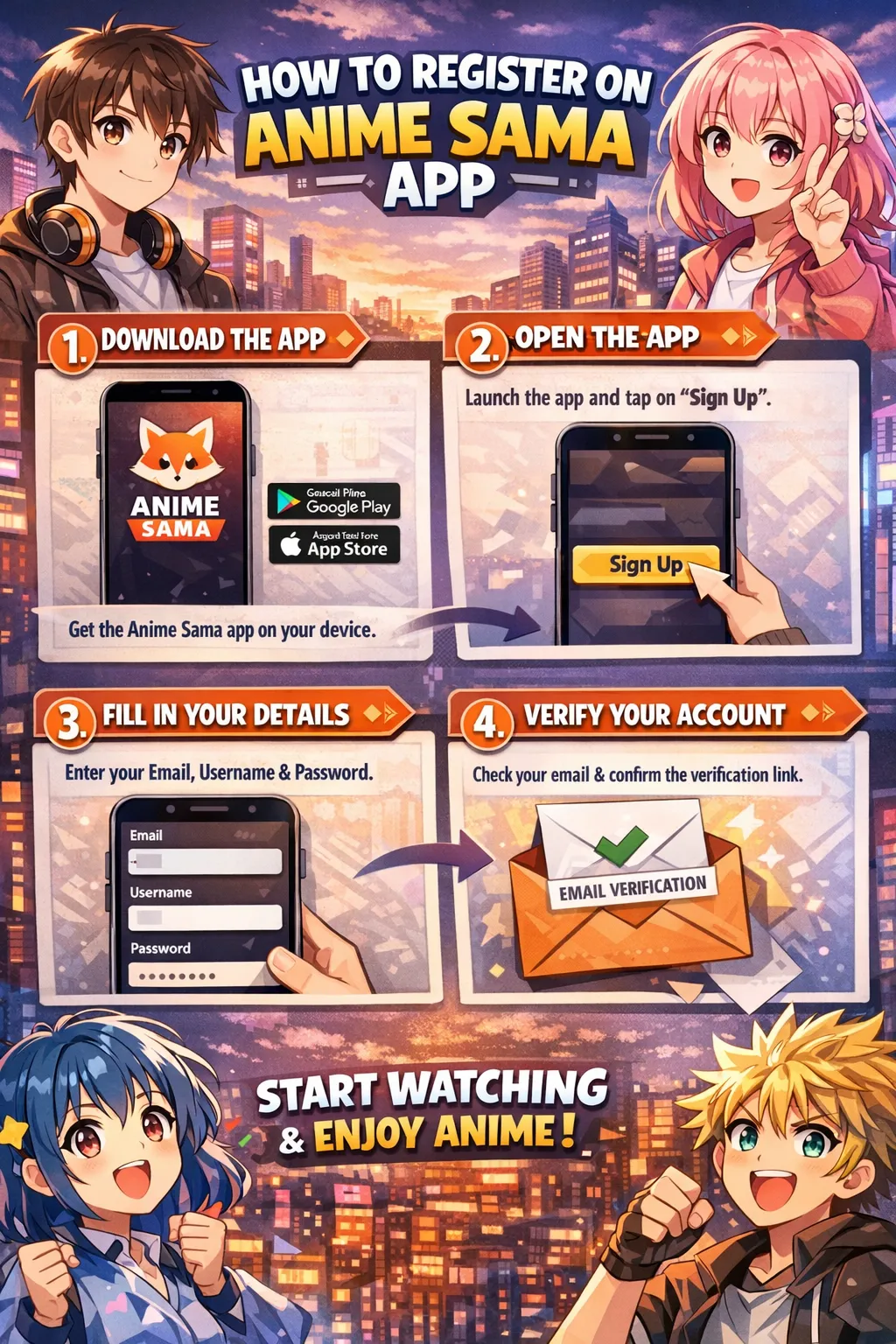
Step-by-Step Registration Guide
1 Method 1: Email Registration
- 1
Open Anime Sama App
Launch the Anime Sama app on your Android device. If you haven't installed it yet, visit animesama.app to download.
- 2
Navigate to Sign Up
Tap the profile icon in the top right corner or bottom navigation bar, then select "Sign Up" or "Create Account" from the menu.
- 3
Choose Email Registration
Select "Sign up with Email" from the registration options screen.
- 4
Fill in Your Details
Enter the following information:
- Username: Choose a unique username (3-20 characters)
- Email: Enter a valid email address
- Password: Create a strong password (minimum 8 characters)
- Confirm Password: Re-enter your password
- 5
Accept Terms and Conditions
Read and check the box to agree to Anime Sama's Terms of Service and Privacy Policy.
- 6
Verify Your Email
After clicking "Create Account," check your email inbox for a verification message from Anime Sama. Click the verification link within 24 hours to activate your account.
Tip: Check your spam folder if you don't see the email within 5 minutes.
- 7
Complete Your Profile
Once verified, log in with your credentials and complete your profile setup by adding a profile picture and selecting your favorite anime genres.
2 Method 2: Google/Facebook Quick Sign-Up
- 1
Select Social Login
From the sign-up screen, tap either "Continue with Google" or "Continue with Facebook" button.
- 2
Authorize the Connection
A pop-up will appear asking you to authorize Anime Sama to access your basic profile information. Review the permissions and click "Allow" or "Continue."
- 3
Choose Your Username
Anime Sama will suggest a username based on your social profile. You can keep it or change it to something unique.
- 4
Start Watching
That's it! Your account is immediately active and you can start building your watchlist right away.
Pro Tip: Social login is the fastest method, but email registration gives you more control over your account credentials and makes password recovery easier.
Registered Account Features
Once you've created your Anime Sama account, you'll unlock these powerful features:
📱 Multi-Device Sync
Watch on your phone, tablet, or Android TV and seamlessly continue from where you left off. Your watch progress syncs automatically across all your devices in real-time.
- Cross-device progress tracking
- Automatic episode resumption
- Instant sync when switching devices
📚 Smart Watchlist Management
Create unlimited custom watchlists to organize your anime collection. Categories include Watching, Plan to Watch, Completed, On Hold, and Dropped.
- Unlimited custom lists and folders
- Quick add/remove with one tap
- Sort by rating, release date, or alphabetically
🔔 Episode Release Notifications
Never miss a new episode. Get push notifications when new episodes of your followed anime are released, with customizable notification preferences.
- Real-time episode alerts
- Customizable notification schedule
- Weekly summary notifications
🎯 AI-Powered Recommendations
Discover new anime based on your viewing history, ratings, and preferences. The more you watch, the better the recommendations become.
- Personalized homepage feed
- Similar anime suggestions
- Genre-based discovery
⚙️ Customizable Playback Settings
Save your preferred video quality, subtitle language, audio settings, and autoplay preferences. Settings sync across all your devices.
- Default quality preferences (360p to 1080p)
- Subtitle language selection (French/English)
- Playback speed control
⭐ Rating and Review System
Share your thoughts with the community by rating anime and episodes. Write detailed reviews and help others discover great shows.
- 5-star rating system
- Written reviews with spoiler tags
- Like and comment on other reviews
Complete Your Profile Setup
After registration, take 1–2 minutes to personalize your account and get the best possible experience.
- 1
Add Profile Picture
Upload your favorite anime character, selfie, or use a default avatar. A profile picture makes your activity more visible in the community.
- 2
Select Favorite Genres
Choose your preferred genres (Shonen, Seinen, Isekai, Romance, etc.) to improve recommendation accuracy from day one.
- 3
Set Notification Preferences
Decide which shows you want episode alerts for and choose notification types (new episodes, season finales, new seasons).
- 4
Import Existing Watch History (optional)
If you used other tracking apps before (MyAnimeList, AniList), you can import your list in just a few clicks.
A well-set-up profile = much better recommendations and community experience!
Common Issues & Solutions
I didn't receive the verification email
Check your spam/junk folder. Add no-reply@animesama.app to your contacts. If still missing, use the "Resend Verification" button or try social login instead.
Google/Facebook button doesn't work
Make sure you're using the latest version of the app. Clear cache or try on a different browser/device. You can always fall back to email registration.
Username already taken
Add numbers, underscores, or your favorite anime reference (e.g., NarutoFan2025, Luffy_OnePiece). Usernames are unique but very flexible.
Forgot password after registration
Use the "Forgot Password" link on the login screen. You'll receive a reset link (check spam folder too).
Ready to Start Your Anime Journey?
Create your free account now and never lose your place again!