How to Login to Anime Sama App
Access your account quickly and securely to sync your watch history, continue your anime, and enjoy all personalized features across any device.
Table of Contents
Why You Should Always Login
Logging in is the key that unlocks your full Anime Sama experience. Without login, your progress and preferences are limited to the current device.
Cross-Device Sync
Pick up exactly where you left off on phone, tablet, or TV
Continue Watching
Never lose your place in an episode again
Personal Recommendations
Better anime suggestions the more you use your account
New Episode Alerts
Get notified when your favorite shows drop new episodes
Available Login Methods
Email & Password
Classic login with your registered email
Continue with Google
Fastest and most convenient option
Continue with Facebook
Quick login using Facebook credentials
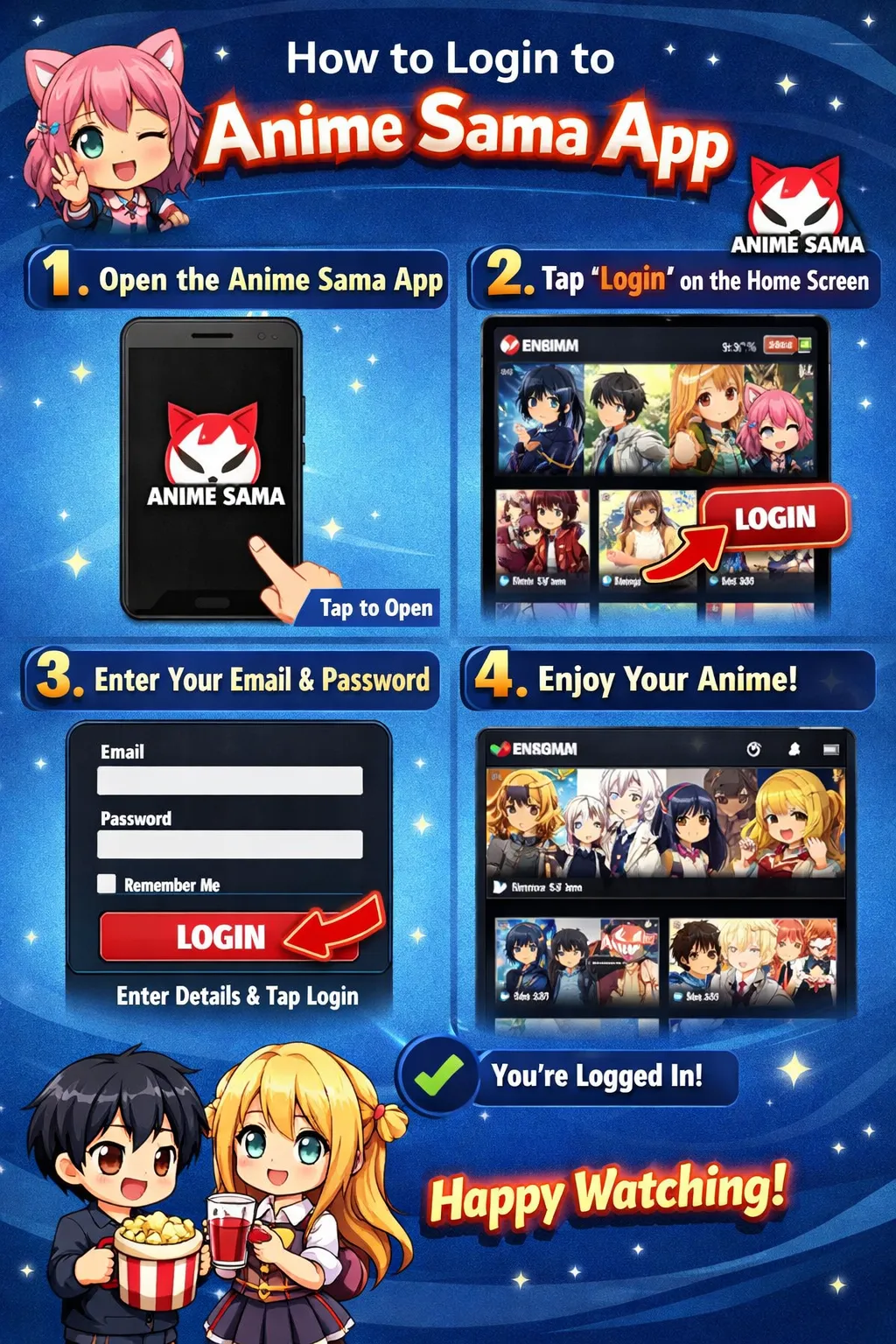
Step-by-Step Login Guide
1 Email & Password Login
- 1
Open the Anime Sama App
Launch the application on your device.
- 2
Go to Login Screen
Tap the profile icon → select "Login" or "Sign In".
- 3
Enter Your Credentials
Input your:
- Email address (or username)
- Password
- 4
Tap "Login"
You're in! Your watch history and settings will sync automatically.
2 Google / Facebook Quick Login
- 1
Choose Social Option
Tap "Continue with Google" or "Continue with Facebook".
- 2
Authorize Access
Confirm the requested permissions in the pop-up window.
- 3
Automatic Login
You're connected instantly — no password needed!
Common Login Problems & Fixes
Wrong password / Invalid credentials
Double-check your typing (watch for Caps Lock). Use "Forgot Password?" to reset via email.
Social login button not responding
Update the app • Clear cache • Check your Google/Facebook account status • Try email login as fallback.
"Account not found" error
Make sure you're using the same email/username you registered with. Try all available login methods.
Stuck on loading screen after login
Check your internet connection • Force close and restart the app • Update to latest version.
Account Security Best Practices
- ✓ Use a strong, unique password (12+ characters, mix of letters/numbers/symbols)
- ✓ Never share your login details with anyone
- ✓ Enable 2-factor authentication if available in future updates
- ✓ Use social login on personal devices only
- ✓ Log out on shared/public devices